
Four months ago at Microsoft Build, Azure Logic Apps Automation arrived at auto.azure.com as a brand-new SaaS SKU. Today at Nordic Integration Summit (NIS) 2026, it got three things every new platform eventually needs: a price tag, a free tier, and a lot more muscle. Divya Swarnkar from the Azure Logic Apps product team walked through what went live today in public preview, how the pricing works, and what is coming next. Here is the full breakdown, with the slides, and my take as an integration architect.
If you missed the original launch, start with my Microsoft Build 2026 recap for what Logic Apps Automation is and how it differs from Logic Apps Standard.
TL;DR
- New in public preview: managed AI models, templates, GitHub and Azure DevOps connectors, and three ways to orchestrate agents (Foundry prompt agents, Foundry hosted agents, managed agents).
- Pricing model: a base fee per managed environment, plus compute that scales to zero, plus optional capabilities (connectors, models, knowledge, sandbox).
- Free to start: the managed environment is free for the first two months, and every Azure subscription gets a monthly free grant that keeps applying after that.
- Roadmap: more built-in connectors, custom connectors, more templates, VNET, and local development.
1. Build Enterprise-Ready Automations Quickly
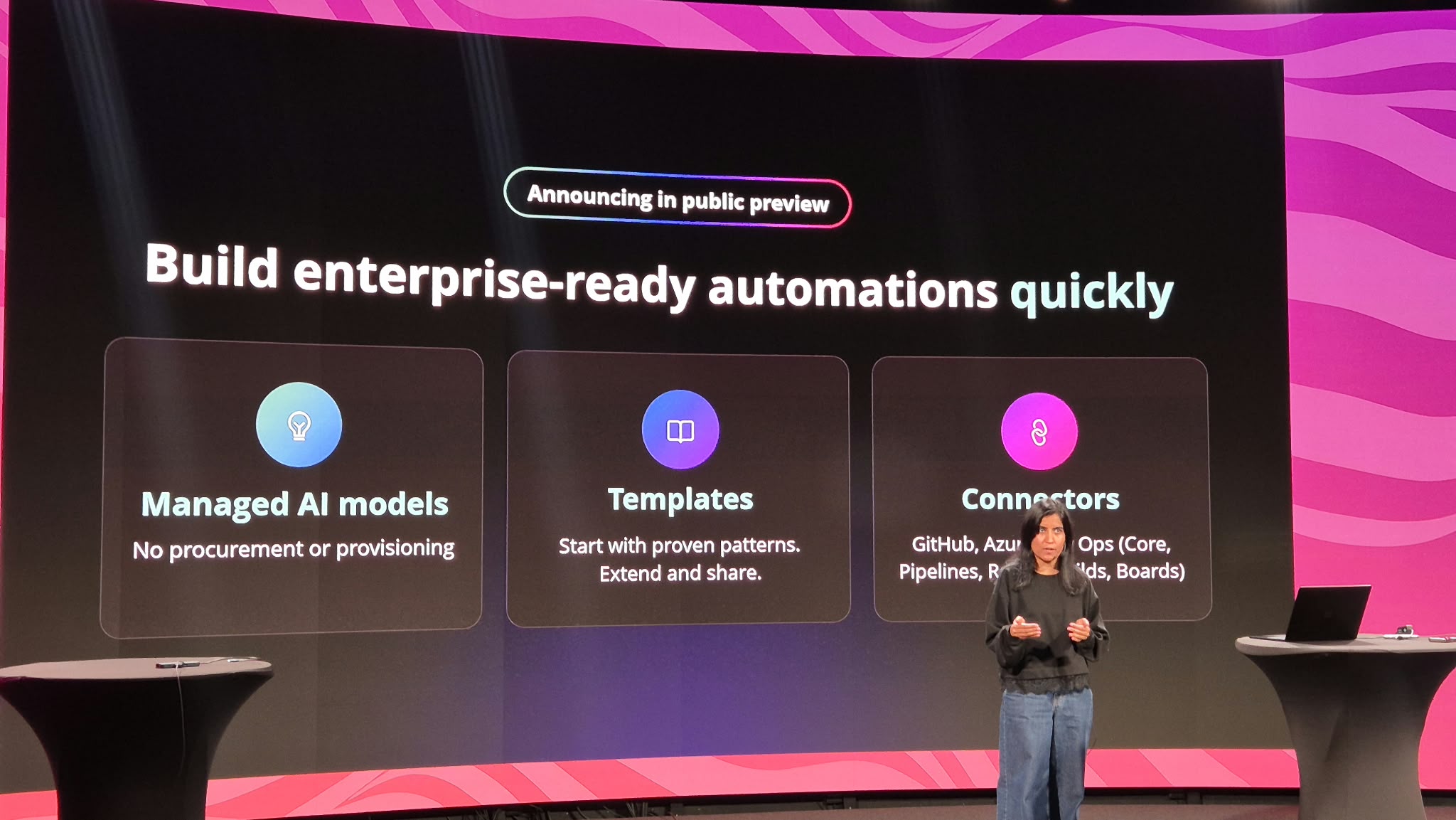
The first set of announcements is about removing the boring parts of getting started.
- Managed AI models. No procurement, no provisioning. You do not need to stand up an Azure OpenAI or Foundry deployment, request quota and wire up keys before your first agent can think. The models are simply there.
- Templates. Start with proven patterns, then extend and share them. For teams, this is the interesting part: a template becomes a way to hand over a governed, reviewed starting point instead of a blank canvas.
- Connectors for GitHub and Azure DevOps. Azure DevOps comes in several flavours, including Core, Pipelines and Boards. That is a clear signal of who this release targets: engineering and platform teams automating their own delivery work.
When to use it: Internal automations where speed to first value matters more than fine-grained infrastructure control. Think release notes, work-item triage, pipeline failure summaries and DevOps hygiene jobs.
2. Orchestrate Agents with Automation
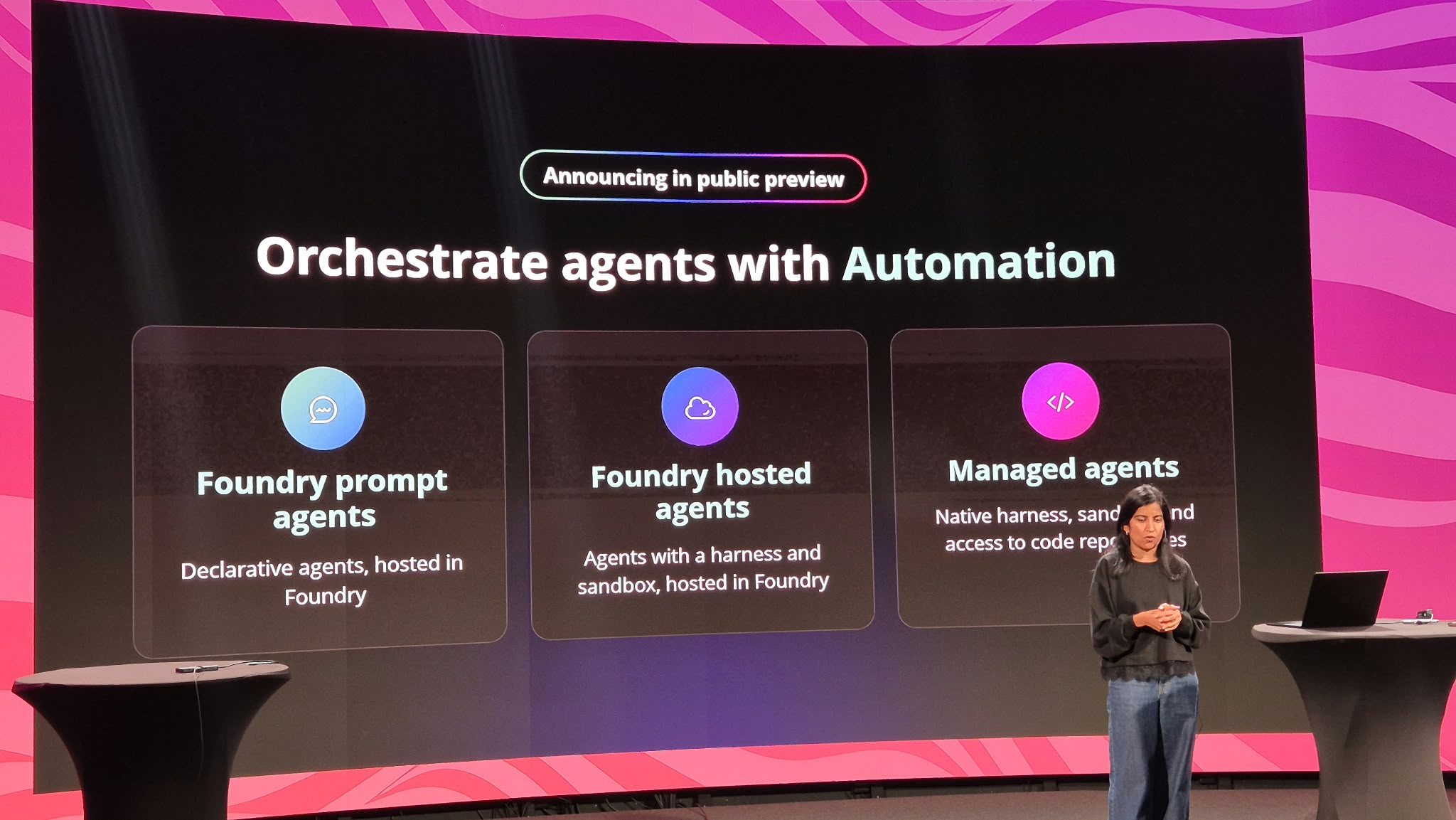
This is the announcement I would spend the most time on. Logic Apps Automation can now orchestrate three different kinds of agents, and the difference between them is mostly about where the agent lives and how much of a runtime it needs.
| Agent type | What it is | Hosted in | Where I would use it |
|---|---|---|---|
| Foundry prompt agents | Declarative agents: model, instructions, tools | Microsoft Foundry | Classification, summarisation, extraction and decision steps inside a workflow |
| Foundry hosted agents | Agents with a harness and a sandbox | Microsoft Foundry | Custom agents your AI team already builds and evaluates in Foundry |
| Managed agents | Native harness, sandbox and access to code repositories | Logic Apps Automation | Coding and repo-aware tasks without running any agent infrastructure yourself |
The pattern I like here is the separation of concerns. Foundry stays the place where agents are built, evaluated and governed. Logic Apps Automation stays the place where they are triggered, orchestrated and connected to the systems where work actually happens. Managed agents fill the gap for teams that want an agent with a sandbox and repo access but do not want to host a harness themselves.
When to use it: Anywhere you want an agent to be one durable step in a longer process, with retries, approvals and run history around it, rather than a chatbot running on its own.
3. Logic Apps Automation Pricing: Base Fee + Compute + Optional
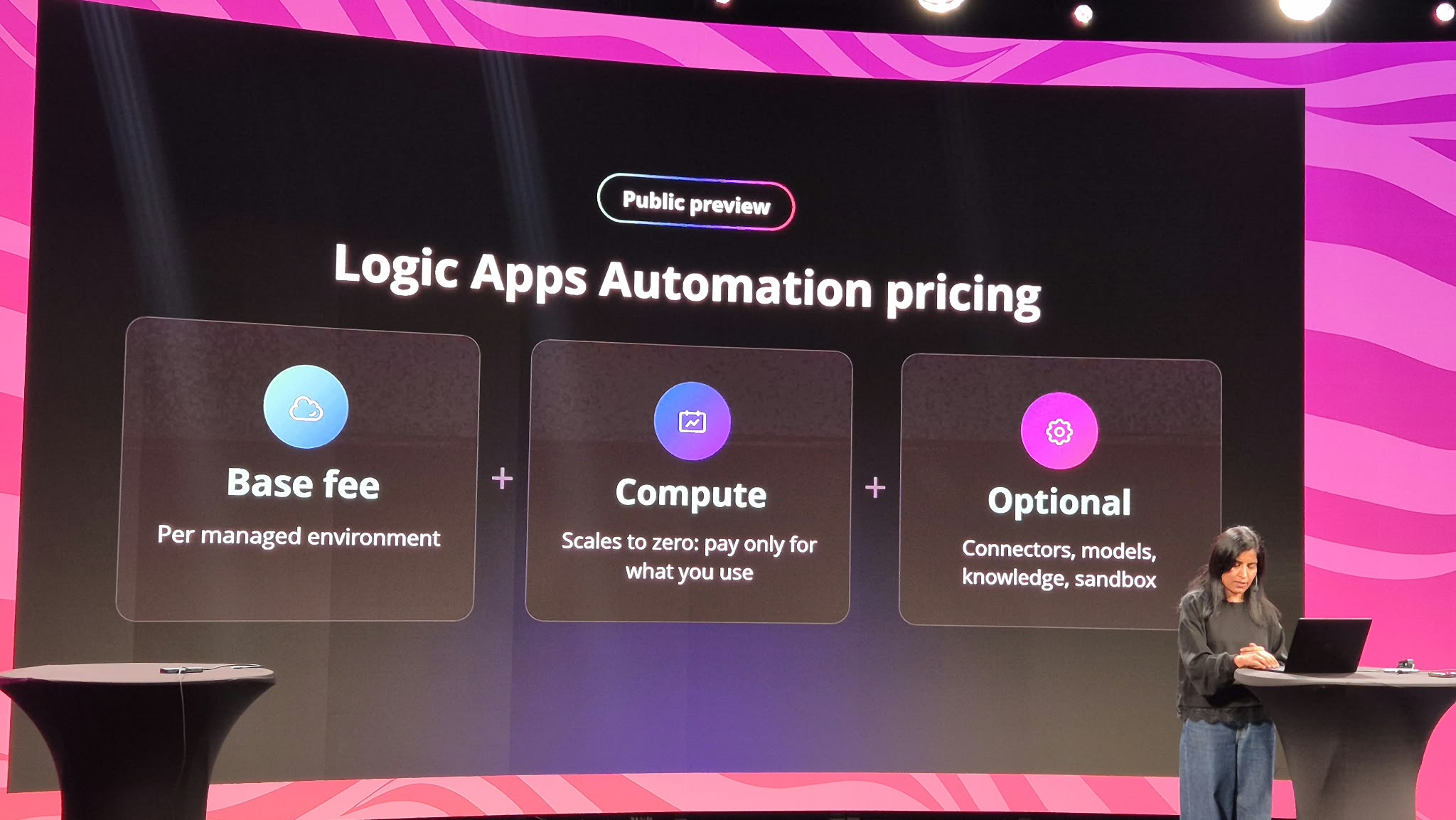
The pricing model has three building blocks:
- Base fee, charged per managed environment. This is the fixed part: you pay for the environment being there.
- Compute, which scales to zero. You pay only for what you use.
- Optional capabilities: connectors, models, knowledge and sandbox. You pay for these only if you use them, and only beyond the free grant (more on that below).
If you read my Build recap, the scale-to-zero compute story is the same. What is new is the base fee per managed environment, which turns the number of environments you run into a line item. More on why that matters in my take below.
How you pay over time
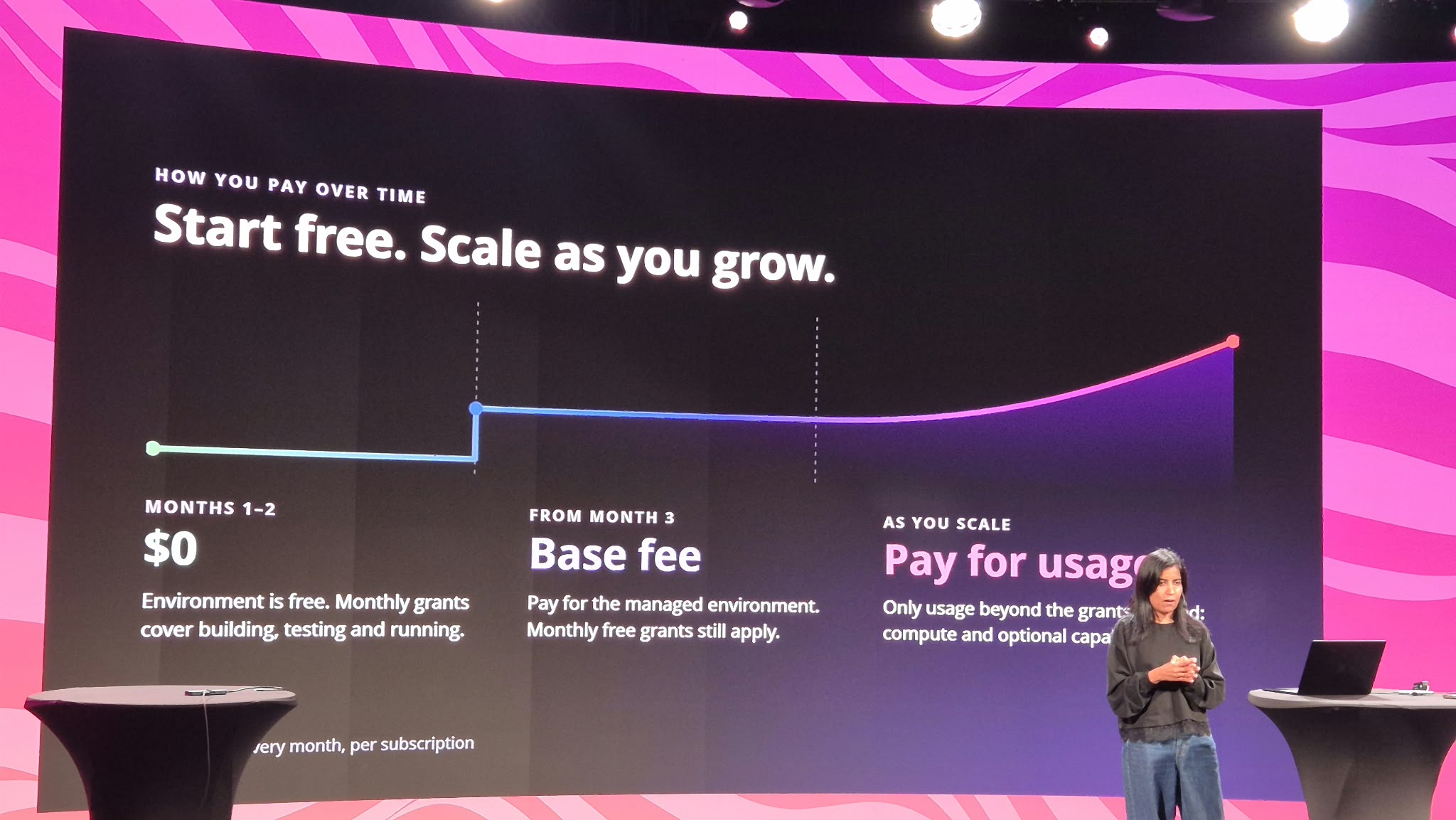
| Phase | What you pay | What is covered |
|---|---|---|
| Months 1–2 | $0 | The environment is free. Monthly grants cover building, testing and running. |
| From month 3 | Base fee | You pay for the managed environment. Monthly free grants still apply. |
| As you scale | Base fee + usage | Only usage beyond the grants is billed: compute and optional capabilities. |
The slides did not include the actual base fee or compute rates. Check the Azure Logic Apps pricing page for current numbers before you build a business case.
4. The Monthly Free Grant: Start Building for $0
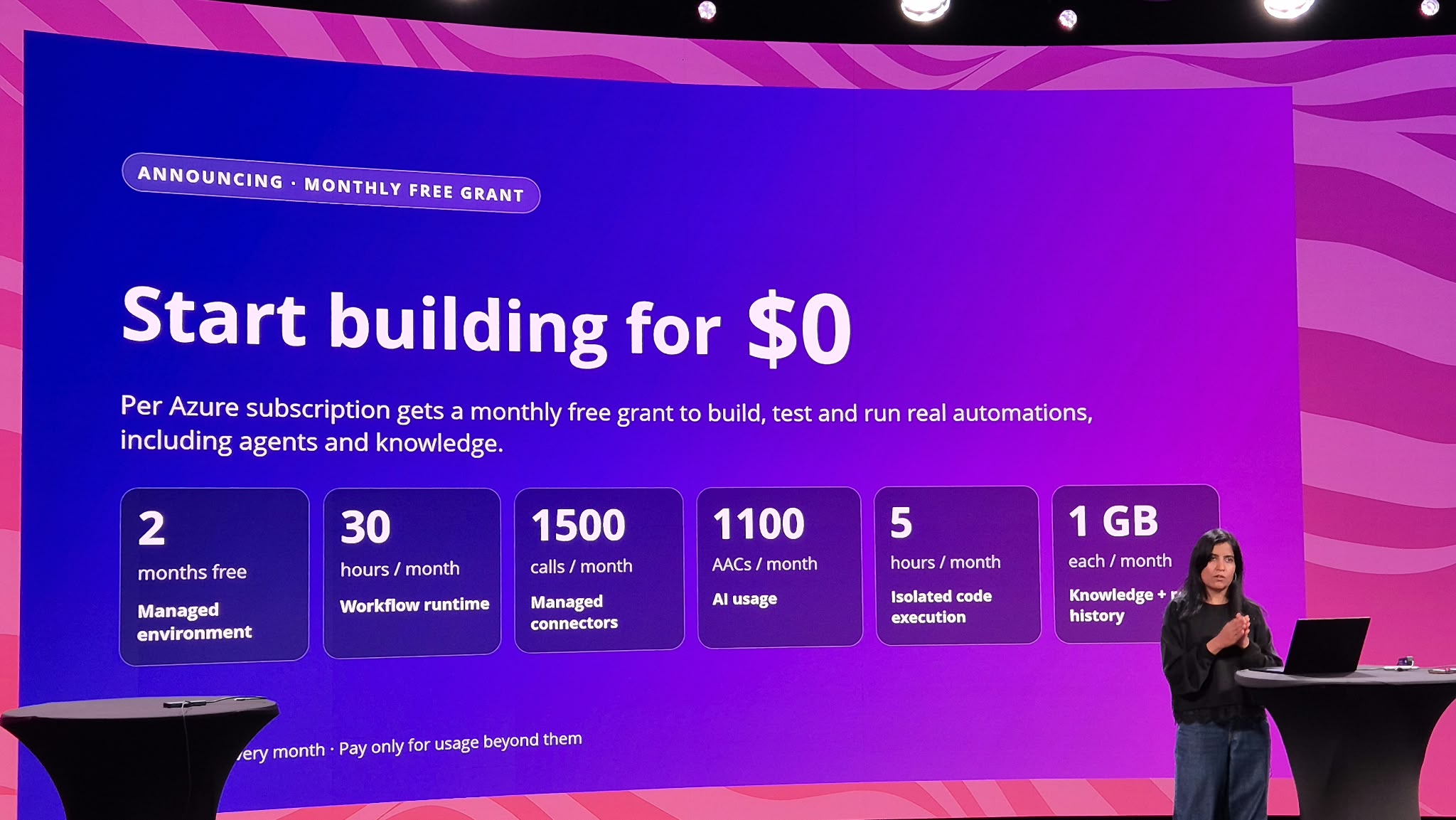
They say there is no such thing as a free lunch. NIS apparently did not get the memo. Every Azure subscription gets a monthly free grant to build, test and run real automations, including agents and knowledge:
| Capability | Free grant |
|---|---|
| Managed environment | 2 months free |
| Workflow runtime | 30 hours / month |
| Managed connectors | 1,500 calls / month |
| AI usage | 1,100 Azure Agent Credits (AACs) / month |
| Isolated code execution (sandbox) | 5 hours / month |
| Knowledge and run history | 1 GB each / month |
The grants reset every month and you pay only for usage beyond them. Thirty hours of workflow runtime is a lot more than it sounds when compute scales to zero between runs. For a proof of concept, a team demo or a handful of internal automations, you may never leave the free tier.
5. Roadmap: What Is Coming Next
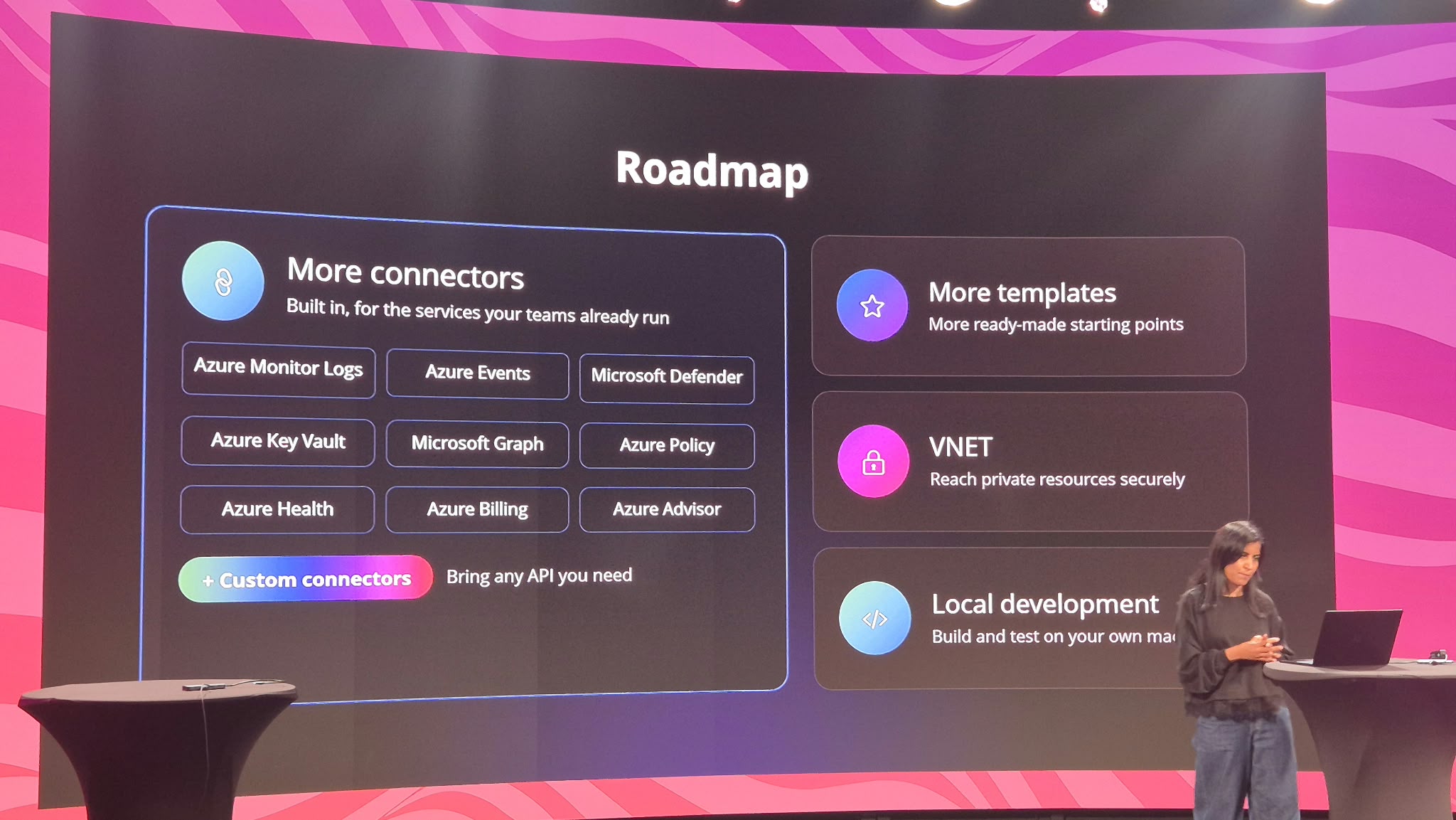
- More built-in connectors for the services your teams already run: Azure Monitor Logs, Azure Events, Microsoft Defender, Azure Key Vault, Microsoft Graph, Azure Policy, Azure Health, Azure Billing and Azure Advisor.
- Custom connectors, so you can bring any API you need.
- More templates as ready-made starting points.
- VNET, to reach private resources securely.
- Local development, to build and test on your own machine.
Look at that connector list again: Monitor, Defender, Policy, Advisor, Billing, Health. Combined with today’s GitHub and Azure DevOps connectors, Logic Apps Automation is clearly positioning itself as the agentic automation layer for cloud operations, security and FinOps teams, not just for business process automation.
My Take as an Integration Architect
- Environments are now a cost decision. With a base fee per managed environment, environment sprawl becomes a line on the invoice. Decide early how many you need (dev, test, prod per team, or shared) and who is allowed to create them.
- The free grant is per subscription. Your landing zone and subscription design directly shape how much free capacity you get. A dedicated sandbox subscription for experimentation is an easy win.
- Learn the new unit. Azure Agent Credits (AACs) are how AI usage is measured. Before production, run a realistic workload and see how many AACs a typical agent run actually consumes. That is what your cost model will hinge on.
- Logic Apps Standard is not going anywhere. VNET, custom connectors and local development are still on the roadmap. If your workloads need private networking or a full local ALM loop today, Standard remains the right choice. Automation is the fast lane, Standard is the fully configurable one.
- Preview means preview. Everything above is public preview. Great for proofs of concept and internal tooling; verify SLAs, regions and feature availability before committing production workloads.
Quick Reference
| Announcement | Status |
|---|---|
| Managed AI models | Public preview |
| Templates | Public preview |
| GitHub and Azure DevOps connectors | Public preview |
| Foundry prompt agents, Foundry hosted agents, managed agents | Public preview |
| Pricing model (base fee + compute + optional) | Public preview |
| Monthly free grant per Azure subscription | Announced |
| More connectors, custom connectors, more templates, VNET, local development | Roadmap |
Two free months and a monthly grant leave very few excuses. Head over to auto.azure.com, build something real (not another Hello World), and let me know what you automate first. If you were at NIS too, I would love to hear which announcement you think matters most.